HyperFrames 与 Remotion:配合 AI 编程 agent 该选哪个
HyperFrames 和 Remotion 都能把代码变成 MP4 视频,也都为 Claude Code 和 Codex 提供了 agent 技能。HyperFrames 使用 HTML、CSS 和 GSAP,采用 Apache 2.0 许可证。Remotion 使用 React 和 TypeScript,个人和不超过 3 人的公司免费,更大的公司需要付费许可(条款核对于 2026 年 11 月 16 日)。
对比一览
| HyperFrames | Remotion | |
|---|---|---|
| 你写什么 | HTML、CSS 和 JavaScript,用 data 属性和暂停状态的动画时间线控制时间 | 读取当前帧号的 React 和 TypeScript 组件 |
| 许可证 | Apache 2.0 | Remotion 自有许可证:个人和不超过 3 名员工的营利组织免费,超出后付费 |
| 4 人及以上公司的费用 | 没有许可费。HeyGen 托管的配音、数字人和云端渲染通过 HeyGen 账号计费 | Creators 每席位每月 $25。Automators 每次渲染 $0.01,每月最低 $100。Enterprise 每月 $500 起 |
| 本地渲染 | npx hyperframes render,需要 Node.js 22+ 和 FFmpeg | npx remotion render,默认 H.264,可用 --codec 选择其他编码 |
| 云端渲染 | HyperFrames Cloud、你自己的 AWS Lambda 或 Google Cloud Run | AWS 上的 Remotion Lambda,文档把 Cloud Run 列为替代方案 |
| agent 技能 | npx skills add heygen-com/hyperframes,或 Claude Code 插件 | npx skills add remotion-dev/skills,项目内可用 npx remotion skills add |
| GSAP | 主要动画运行时 | 通过 @remotion/gsap 包使用 |
| 已有的网页素材 | HTML、CSS 以及 GSAP 或 Lottie 动画通常可以近乎原样放入(HyperFrames 文档) | 需要改写成 React 组件(HyperFrames 文档) |
创作方式
Remotion 的视频是一个 React 组件。组件用 useCurrentFrame() 读取当前帧号,并返回这一帧的画面。一段三秒的标题淡入淡出按帧来写,例如 30 fps 下的 interpolate(frame, [0, 15, 75, 90], [0, 1, 1, 0])。
HyperFrames 的视频是一个 HTML 文件。元素带有 data-start、data-duration 和 data-track-index 属性,说明它们何时出现在画面里,用 paused: true 创建的 GSAP 时间线说明它们如何运动。时间线以合成 id 为键注册在 window.__timelines 上。渲染器在截取每一帧之前,先把暂停的时间线定位到精确的时刻,所以 GSAP、Web Animations 和 Lottie 每次渲染的结果都相同。同样的标题淡入淡出在这里按秒来写。
HeyGen 自己做过一次对比:给 Claude Code 同一段话,要求做一支 15 秒的发布视频,一次只装 Remotion 的技能,一次只装 HyperFrames 的技能。各跑一次,事后不做修改。Remotion 用了 12 分 30 秒和 10 个 TypeScript 文件,HyperFrames 用了 11 分 50 秒和 4 个 HTML 文件。该页面写明单次运行无法说明质量高低。HyperFrames 由 HeyGen 开发,阅读时请考虑这一点。
许可证与费用
下面的 Remotion 条款读取自 2026 年 11 月 16 日的 remotion.dev。许可证文本提到会在 Remotion 5.0 中略有调整,决定前请再看一遍原页面。
- Free License:个人、不超过 3 名员工的营利组织、非营利组织,以及尚未商用、仍在评估 Remotion 的人。允许商用。
- Company License,不符合 Free License 条件时必须购买:Remotion for Creators 每席位每月 $25,Remotion for Automators 每次渲染 $0.01,按每 1000 次渲染($10)为单位收费,每月最低 $100。
- Enterprise License:每月 $500 起,条款定制。
- AI agent:Remotion 许可证 FAQ 写明 AI agent 不需要 Seat。每个用 Remotion 做视频的人,包括通过提示词指挥 agent 的人,都需要一个 Seat。
- 云端渲染:Remotion Lambda 页面写明,使用云端渲染的公司需要 Remotion for Automators 许可。
HyperFrames 的框架、CLI 和技能采用 Apache 2.0。在自己的电脑上渲染免费,也不需要账号。HyperFrames FAQ 列出了免费的 Studio 应用套餐和每月 $25 的 Pro 套餐。你添加的字体、音乐和素材保留各自的许可证。
渲染
两者都可以用命令行在本地渲染。HyperFrames 在无头 Chrome 里定位帧,再用 FFmpeg 编码。Remotion 的渲染命令接收合成 id 和输出路径,支持 h264、h265、av1、vp8、vp9、prores、gif 以及音频编码。
云端渲染方面,HyperFrames 文档列出了 HyperFrames Cloud(npx hyperframes cloud render)、你自己账号里的 AWS Lambda 和 Google Cloud Run,以及面向 Node 应用的 Producer 包。Remotion 文档介绍了 Lambda:它把一次渲染拆给许多函数并行完成,再把各部分拼接起来;文档还提到 Cloud Run 可作为替代。
agent 技能
Remotion 的官方技能包括 remotion-best-practices、remotion-create、remotion-markup、remotion-studio、remotion-render、remotion-captions 和 remotion-license。文档列出的受支持 agent 有 Claude Code、Codex、Cursor、Kimi Code 和 OpenCode。
HyperFrames 发布九个技能。核心技能是 hyperframes、hyperframes-cli、hyperframes-registry、media-use、reverse-any-video 和 style-sampling,figma、slideshow 和 remotion-to-hyperframes 按需安装。最后一个技能把 Remotion 代码或素材带入 HyperFrames,并逐帧核对结果。Claude Code 用户按文档先运行 claude plugin marketplace add heygen-com/hyperframes,再运行 claude plugin install hyperframes@hyperframes。这条路线的更多内容见 Claude Code 视频技能和 Claude 能做视频吗?。
两者中的 GSAP
GSAP 通常按真实时钟运行。HyperFrames 的合成围绕一条由渲染器定位的暂停 GSAP 时间线构建。Remotion 要求每一帧都是 useCurrentFrame() 的纯函数,它的 @remotion/gsap 包会构建一条暂停的 GSAP 时间线,并把它定位到当前帧。该包需要把 gsap 作为对等依赖安装,从 Remotion 4.0.517 版本起提供。
什么时候选哪个
- 团队写 HTML、CSS 和 GSAP,希望视频文件能在浏览器里打开,手头有可复用的网页动画,或者 4 人及以上的公司不想付许可费时,选 HyperFrames。
- 视频代码要放进 React 和 TypeScript 代码库,要复用 React 组件和数据,或者需要 Company License 附带的付费支持时,选 Remotion。
- 用 Claude Code 或 Codex 做第一支视频,两者都可以。两者都有官方技能,都能在本地渲染,Remotion 项目也可以用 remotion-to-hyperframes 技能转换。
Remotion 的其他替代方案
除 HyperFrames 外,还有两种用代码做视频的工具。Motion Canvas 是 MIT 许可的 TypeScript 库,用生成器编写动画,并带有实时预览的编辑器。Revideo 是 MIT 许可的代码视频渲染引擎,其 README 说借鉴了 Remotion 的概念,场景是 TypeScript 生成器函数。
Motionboard 的 HyperFrames 影片
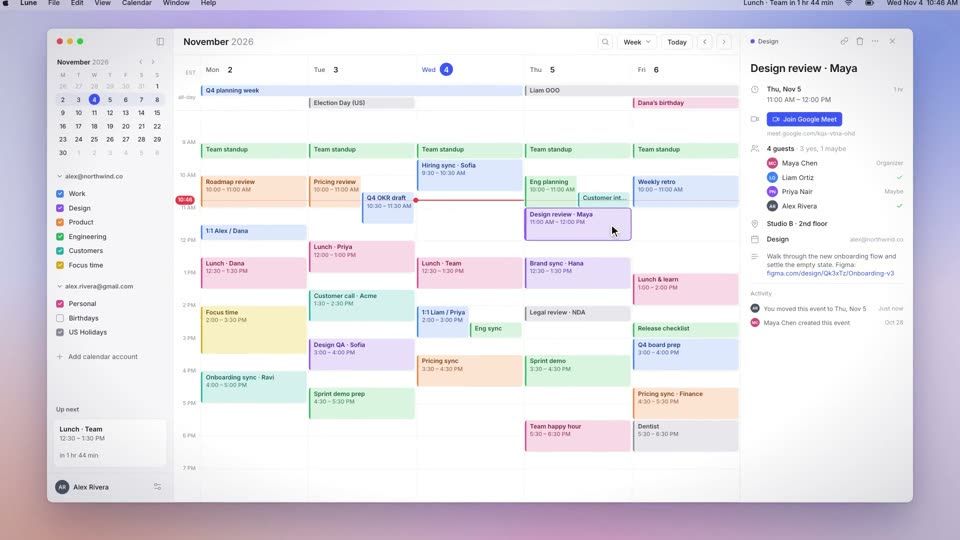
Motionboard 有 38 个免费配方,每个都是一支约 10 秒、用 HyperFrames 和 GSAP 制作的影片,并与它所还原的发布会影片并排展示。下面是其中三个。
用下面的命令在 Claude Code 或 Codex 里安装这些配方。
npx skills add krisyangdev/motionboard常见问题
Remotion 免费吗?
截至 2026 年 11 月 16 日,Remotion 的 Free License 覆盖个人、不超过 3 名员工的营利组织和非营利组织,包括商用。更大的公司需要 Company License:Creators 每席位每月 $25,或 Automators 每次渲染 $0.01、每月最低 $100。最新条款请看 remotion.dev/license。
HyperFrames 可以免费商用吗?
HyperFrames FAQ 写明,Apache 2.0 许可证允许在其条款下使用、修改和分发 HyperFrames,包括商业用途。你添加的素材保留各自的许可证。配音、数字人和云端渲染等 HeyGen 托管功能通过 HeyGen 账号计费。
Remotion 里能用 GSAP 吗?
能。Remotion 的 @remotion/gsap 包会构建一条暂停的 GSAP 时间线,并把它定位到当前帧。用 npx remotion add @remotion/gsap 安装,同时把 gsap 作为对等依赖安装。
Remotion 项目能迁移到 HyperFrames 吗?
HyperFrames 仓库列出了 remotion-to-hyperframes 技能,用来把已有的视频代码或素材带入 HyperFrames,首先支持 Remotion。它会逐帧对照原片核对结果。