10.5s
Features · 11s film
Light Beam Effect
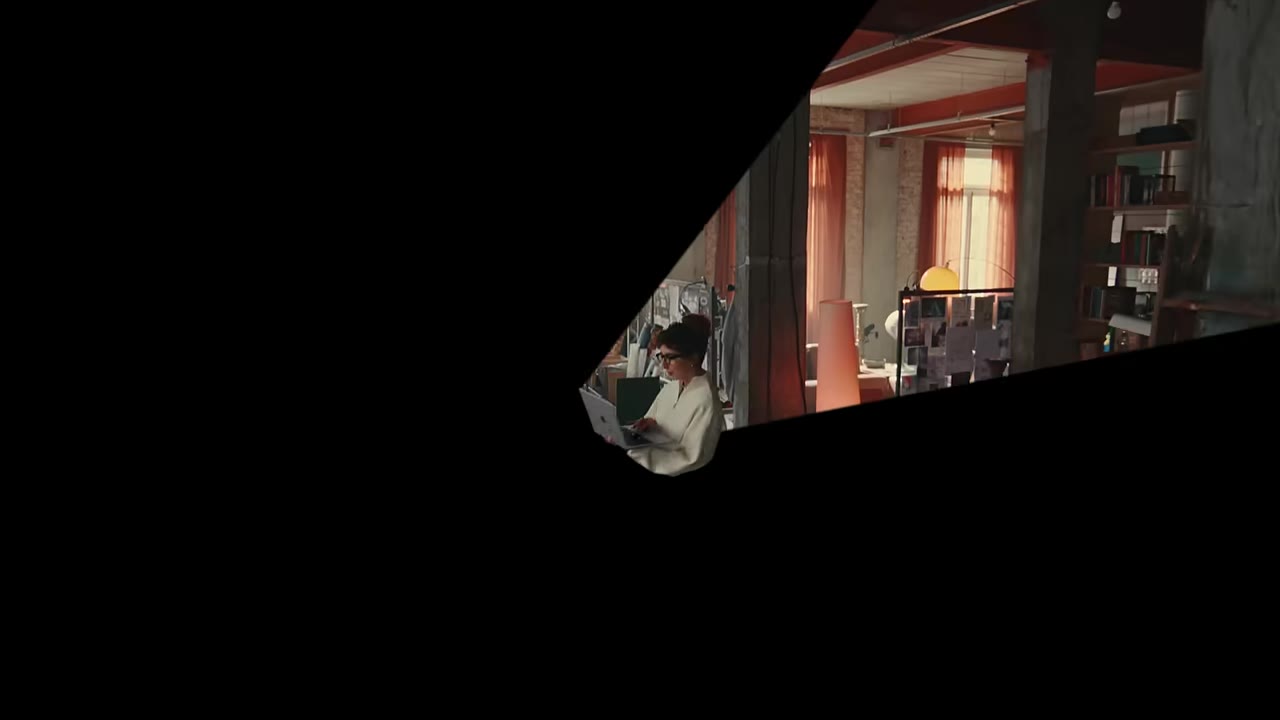
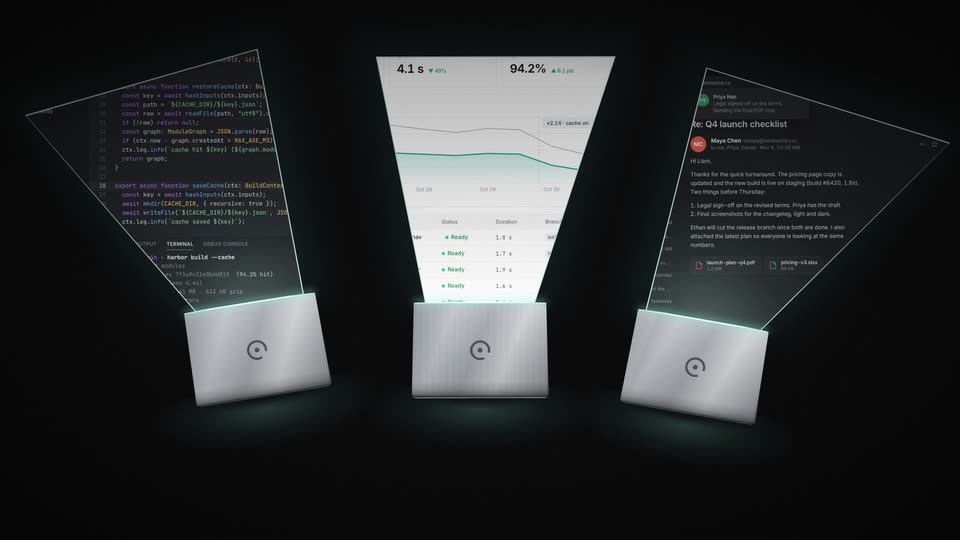
Small laptops on black each throw a trapezoid beam of light with an app screen inside it. The beams swing, hand off, merge into one wide beam that carries a stat along its right edge, and the last laptop closes.
Motionboard shot: Screen Projection Beams
Seen in real launch films
How to make a Light Beam Effect with Claude Code or Codex
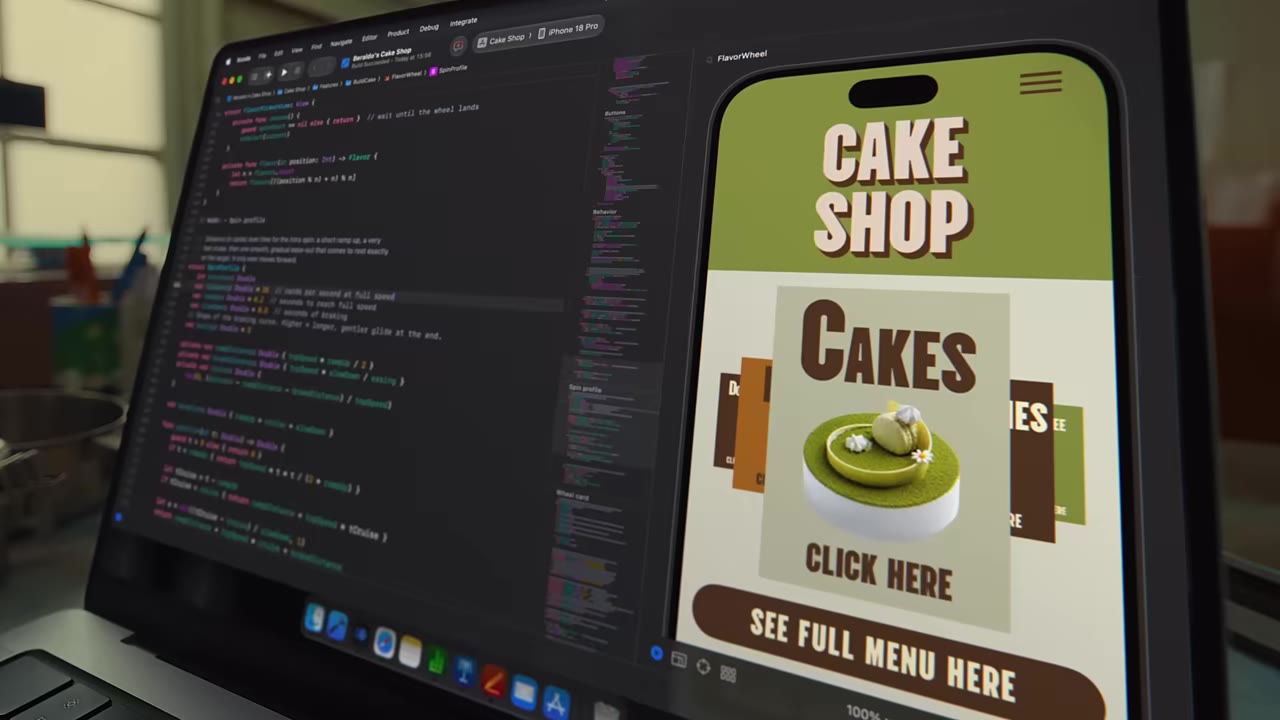
Copy the recipe above and paste it into Claude Code or Codex. The agent installs the skill and builds the shot.
npx skills add krisyangdev/motionboardHow it's built
Build each beam as a clip-path trapezoid window over a screen that stays fixed in screen space. The first beam opens at 0.75s over 1.0s with expo.out, cubic-bezier(0.16,1,0.3,1): length 0 to 800px, far half-width 170px to 520px, lean -14° to -3°. Lean a beam by moving only its far edge sideways (length × tan of the angle), so the near edge stays pinned to the lid top and the beam sweeps across a still, readable UI. Each laptop lid is 380x268px, 262px high when open, with a slim 11px base edge under a dark hinge band.
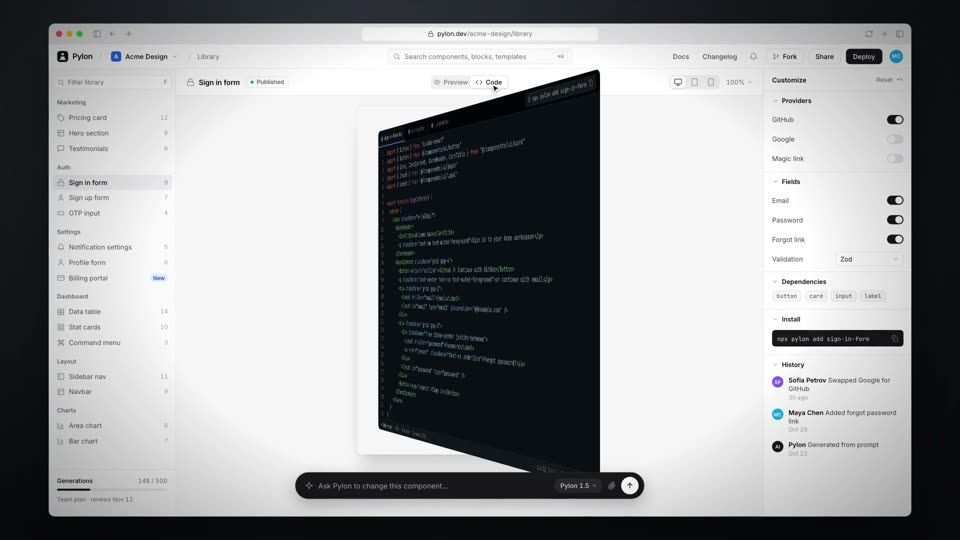
Hand the light from one laptop to the next. At 3.0s beam 1 leans left to -26° and narrows in 0.45s while the camera pans for 1.1s to laptop 2, whose beam opens at 3.4s once beam 1 has closed. At 4.4s the camera pulls back to 0.72x and three beams run together, each 650–680px long with a far half-width of 330–350px. At 6.5s one beam widens to 800px half-width and 560px length, fully inside the frame, and at 7.05s the stat slides in along its right edge at about 43° over 0.9s.
Press the copy button to send this recipe to Claude Code or Codex, or install the skill once with npx skills add krisyangdev/motionboard. The agent builds the laptops, the three screens and the beams. Close the lid from 8.4s to 9.4s, light the mark teal #2dd4bf and fade the word Harbor in under the lid at 8.9s. Render an MP4 with HyperFrames, or port the GSAP timeline to your website.
Full recipe
Why it works
The beam is a trapezoid window and the screen sits fixed in screen space. When the beam leans, only its far edge moves and the near edge stays on the lid top, so a swinging beam changes which part of the screen shows while the text stays level and readable. On a black frame only the beam has content, so the eye follows the light. The three screens go dark, light, dark (code editor, build console, mail), so the same beam never repeats itself. Every sync beat lands inside a beam: the completion pill, the build status cell, the mail toast and a whole mail paragraph sit where the beam shows them. The stat comes last, outside the right slanted edge of the widest beam, reading upward, and the number 2.4× is the largest element in the only accent color, teal #2dd4bf. The laptop is a thin silver lid seen from behind with a slim base edge, and it ends as a thin chamfered slab.
Spec
- Timing
- Film 11s. Laptop 1 rises 0–1.4s; beam 1 opens at 0.75s (1.0s); completion pill appears 1.15s and is accepted 1.9s; hand-off 3.0–3.45s (beam 1 leans left to -26° and narrows), then laptop 1 fades out 3.45–3.85s and back in at 4.45s (0.35s); beam 2 opens at 3.4s (1.0s); camera pulls back 4.4–5.5s; beam 1 reopens at 4.75s, beam 3 opens for the first time at 5.0s (laptop 3 fades in at 4.7s over 0.35s) and three beams run until 6.4s; beams 1 and 3 narrow 6.42–6.92s and their laptops fade out 6.5–6.9s (0.4s); wide beam 6.5–7.5s; stat slides in at 7.05s (0.9s) and fades at 8.3s (0.3s); beam narrows 8.25–8.85s; lid closes 8.4–9.4s; wordmark at 8.9s and held to the end (2.1s)
- Easing
- Opening and slide-in
cubic-bezier(0.16,1,0.3,1)(expo.out); slow sweeps sine.inOut; narrowing power3.in (power2.inOut at the hand-off); camera pans, widening and lid closing power3.inOut - Camera
- Flat framing on black, never still: slow push 0.86→0.9x over 0–3.0s; a 1.1s pan to laptop 2 at 3.0–4.1s at 0.9x with a -3° roll; drift to 0.94x at 4.1–4.4s; pull back to 0.72x and level at 4.4–5.5s; roll to -3° and drift to 0.74x at 5.5–6.4s with all three beams inside the frame; 1.1s move to 0.9x at 6.4–7.5s with the frame centre 60px right of and 175px above laptop 2, so the whole wide beam and the stat stay in frame; 0.93x at 7.5–8.3s; push to 1.2x at 8.3–11.0s
- Subject
- Lid 380x268px, corner radius 14px at the top and 9px at the bottom, 6px narrower per side at the top edge than at the bottom, a 4px bright line along the top, a two-line chamfer around the edge and a 44px darkening gradient along the bottom whose last 6px is a dark hinge band; open, the lid is 262px high (98% of 268px) with a slim 374x11px base edge (no key texture) showing about 4px under it and a 360x30px soft contact shadow; laptops 1 and 3 raise the base edge 2px while they yaw (4.6–5.6s) so the visible edge halves to about 2px and the lid reads as a thin slab; closed, the lid is a 380x268px rectangle, the hinge band fades out and the base edge drops 9px so about 7px of it shows. The beam's near edge stays on the lid top; leaning moves only the far edge (offset = length × tan of the angle) and the far-edge skew k lowers the right far corner by k px and raises the left one by k px (negative reverses). Beam 1 opens 800px long (820px by 3.1s), near half-width 170px, far half-width 520px; beam 2 is 860px long, near 170px, far 560px, k=30; in the three-beam stage beam 1 is 650px long, near 150px, far 330px, k=-40, beam 2 is 680px, near 150px, far 330px, k=0, and beam 3 is 650px, near 160px, far 350px, k=45; the wide beam is 560px long, near half-width 190px, far half-width 800px. Each screen is a full 1280x800 display scaled 1.25x (mail 1.1x with its layer 20px left of and 114px below the centred position so the toast and a whole paragraph sit inside the beam without text cut at the beam's left edge; the console in the wide beam 1.3x)
- Sync
- The completion accepted at 1.9s, the pill vanishing and 5 code lines turning solid share one frame, all inside the beam; the build row going from Building to Ready and 0.9 s to 1.8 s lands at 5.05s, both cells in the middle of beam 2; the mail toast appears at 5.5s on the axis of beam 3 with one whole paragraph and both attachments in the same beam; the lid edge lights 0.2s before each beam opens
- Style
- Pure black
#040405, one accent teal#2dd4bf; UI in Inter 13px; stat in League Gothic, 40px small line, 224px number and 94px label, skewed -10° and rotated about -43° along the right edge, 18px off it; wordmark Inter 600; grain re-rolled every 3 frames and a vignette
Prompt
Build an 11-second, 1920x1080, 30 fps product film called Screen Projection Beams for a fictional product, Harbor (a laptop and its three app screens). The frame is pure black #040405 and the only accent color is teal #2dd4bf. The laptop is a thin silver lid seen from behind and slightly above: 380x268 px, corner radius 14 px at the top and 9 px at the bottom, 6 px narrower per side at the top edge than at the bottom, a 4 px bright line along the top edge, a two-line chamfer around the edge (1 px light line plus 3 px dark line), a 44 px gradient that darkens the bottom with a 6 px dark hinge band on its last pixels and a very faint vertical brushed texture. Open, the lid is 262 px high (98% of 268 px) with a slim 374x11 px base edge under it (a dark-to-light metal gradient, no key texture) showing about 4 px, and a 360x30 px soft contact shadow; laptops 1 and 3 raise the base edge 2 px while they yaw so the visible edge halves; when a beam is on, a faint teal pool of light shows on the floor. A dark engraved mark sits in the middle of the lid and the top edge of the lid is where light comes out. A beam is a clip-path trapezoid window whose near edge sits on the lid top and opens outward from it. To lean a beam, move only the far edge sideways (offset = length × tan of the angle); the near edge never moves, so it stays pinned to the lid. The far-edge skew k lowers the right far corner by k px and raises the left far corner by k px (negative k does the opposite). Behind the window sits a screen-space UI layer (a full 1280x800 screen scaled 1.25x) that does not move when the beam leans; the beam only changes which part of it is revealed. Add a 3 px bright line along the beam edges, a soft bloom at the lid edge (peak opacity 50% so the screens read first) and a lit edge on the lid top. Three screens, all real English product UI: A is a dark code editor (file tree, tabs, 33 lines of TypeScript, minimap, terminal, status bar); B is a light build console (sidebar, four KPI cards, a 14-day build-time line chart with a v2.14 · cache on annotation, a builds table with the columns Build, Commit, Status, Duration, Branch, Author, Started; median build 1.8 s, cache hit rate 94.2%); C is a dark mail app (sidebar, a list of 10 emails, an open thread titled Re: Q4 launch checklist with two body paragraphs and two attachments). Timeline: 0 to 1.4 s laptop 1 rises from 80 px below at 1.14x scale (expo.out) and fades from 0.35 to 1 over 0.7 s. The camera starts at 0.86x and pushes slowly to 0.9x over the first 3 s. At 0.55 s the lid top edge lights; at 0.75 s beam 1 opens (length 0 to 800, far half-width 170 to 520, near half-width 170, 1.0 s expo.out; lean -14 to -3 degrees over 1.3 s expo.out; k=0). At 1.15 s a floating Accept Tab pill appears in the middle of the beam above the cursor line; at 1.9 s the grayed-out completion in the editor is accepted, the pill disappears and 5 lines turn solid on the same frame, and the beam length eases to 820 by 3.1 s. From 2.05 to 3.0 s beam 1 sweeps slowly to +12 degrees (sine.inOut). From 2.35 to 3.0 s the terminal prints a line every 0.12 s, 6 lines, ending with Build complete in 1.8s. Hand-off from 3.0 s: beam 1 leans left to -26 degrees in 0.45 s and narrows to a line in the same 0.45 s (power2.in for the lean, power2.inOut for the narrowing) while the camera pans 1.1 s (power3.inOut) to laptop 2 on the right at 0.9x with a -3 degree roll. Beam 2 opens only after beam 1 has closed, at 3.4 s (lean -30 to -6 degrees over 1.3 s; length 860, near half-width 170, far half-width 560, k=30, over 1.0 s), so the two windows never overlap. Laptop 1 fades out from 3.45 to 3.85 s and fades back in over 0.35 s from 4.45 s; laptop 3 stays out of the frame until it fades in over 0.35 s at 4.7 s, so no unlit side laptop is cut off by the bottom of the frame. Beam 2 reveals the console and its line chart draws from 3.75 to 4.75 s; the camera drifts to 0.94x from 4.1 to 4.4 s. From 4.4 to 5.5 s the camera pulls back to 0.72x and levels out (1.1 s, power3.inOut). Beam 2 leans slowly to +4 degrees from 4.55 to 5.65 s and narrows from 4.65 to 5.55 s to length 680, near half-width 150, far half-width 330, k=0. Beam 1 reopens at 4.75 s (lean -30 to -17 degrees over 1.3 s; length 650, near half-width 150, far half-width 330, k=-40, over 1.0 s). Beam 3 opens for the first time at 5.0 s (lean +28 to +20 degrees over 1.3 s; length 650, near half-width 160, far half-width 350, k=45, over 1.0 s). Laptops 1 and 3 yaw -9 and +10 degrees from 4.6 to 5.6 s. Three beams run together; the mail screen is scaled 1.1x and its layer sits 20 px left of and 114 px below the centred position, so the middle of beam 3 shows one whole body paragraph and the two attachments with no letters cut at the beam's left edge. At 5.05 s the first row of the builds table turns from Building to Ready and its duration from 0.9 s to 1.8 s, both cells in the middle of beam 2 (the Ready cell flashes a green tint). At 5.5 s a mail toast (Priya Nair: Legal signed off on the terms. Sending the final PDF now.) appears above the paragraph in beam 3 and fades at 6.3 s. From 5.5 to 6.4 s beam 2 leans to -4 degrees, beam 3 leans to +18 degrees and the camera rolls to -3 degrees and drifts to 0.74x, with all three beams inside the frame. From 6.4 to 6.9 s beams 1 and 3 lean inward to +12 and -12 degrees and narrow (6.42 to 6.92 s, power3.in) and from 6.5 to 6.9 s their laptops fade out (0.4 s), so they are gone before the stat appears; the camera moves to laptop 2 at 0.9x over 1.1 s with the frame centre 60 px right of and 175 px above laptop 2. From 6.5 to 7.5 s beam 2 levels out and becomes one wide flat beam that sits entirely inside the frame (near half-width 190, far half-width 800, length 560, k=0, power3.inOut) and the console scales to 1.3x; the chart annotation v2.14 · cache on sits right next to the dashed line and the Nov 4 tooltip (Median 1.8 s, p95 4.1 s) sits in the free space further right, so they never overlap. At 7.05 s the stat slides in along the right slanted edge (200 px along the edge, 0.9 s expo.out). It sits outside the edge, 18 px away from it, starting 200 px along the edge from the lid corner, and the whole block is rotated about -43 degrees so it reads upward, parallel to the edge. It has three parts: a small UP TO (League Gothic 40 px), the number 2.4× in a teal gradient (224 px, the largest element) and FASTER BUILDS (94 px, white-to-gray gradient), all skewed -10 degrees and all inside the frame. The camera drifts to 0.93x from 7.5 to 8.3 s. At 8.3 s the stat fades over 0.3 s. From 8.25 to 8.85 s the beam narrows (power3.in); from 8.4 to 9.4 s the lid height goes from 0.98 to 1, its trapezoid outline becomes a rectangle, the hinge band fades out and the base edge drops 9 px so only about 7 px of it shows, and the laptop moves to the center of the frame (1.0 s, power3.inOut) while the camera pushes to 1.2x from 8.3 to 11.0 s; at 8.9 s the lid mark lights teal over 0.8 s and the word Harbor fades in under the lid (Inter 600, 52 px growing to 62 px with the camera, 0.6 s expo.out). The wordmark is placed in the same group as the lid so it moves with it and never overlaps it, and it holds to the end of the film (2.1 s); at 9.2 s a highlight sweeps across the lid. Add film grain re-rolled every 3 frames and a vignette.
People describe it as
- The trapezoid beam is a window that reveals the fixed screen behind it as it sweeps
- One laptop's light sweeps away and the next one lights up
- The stat runs along the right slanted edge of the wide beam, then the laptop closes
Often confused with
- 3D Tilted UI with Depth of FieldTilted UI with Depth of Field tilts one interface and uses blur to lead the eye; here the interface stays still behind a trapezoid beam window and the light hands off between several laptops.
- Light RevealLight Reveal uses a sweeping light to bring out the material of a product on black; the beams here reveal app screens and pass from one laptop to the next.
FAQ
What is a light beam effect in a product film?
A light beam effect throws a cone of light from a screen or a device and shows content inside the cone. In this film the cone is a window onto an app screen, so the beam can swing and hand off between devices while the screen itself stays still.
How do you keep the UI readable while the beam moves?
Keep the screen layer fixed in screen space and lean the beam by moving only its far edge, so the near edge stays on the lid. The beam changes which part of the UI shows, but the text never tilts. Scale the screen 1.25x so 13px interface text stays legible inside a beam about 1000px wide.
Is it free to use?
Yes. Motionboard is free and MIT licensed, so you can use and modify the recipes and the films they produce in personal and commercial projects. The licence asks only that copies of the recipe files keep the copyright notice.