11s
Motionboard recreation · no launch-film original
Transitions · 10s film
Infinite Zoom Effect
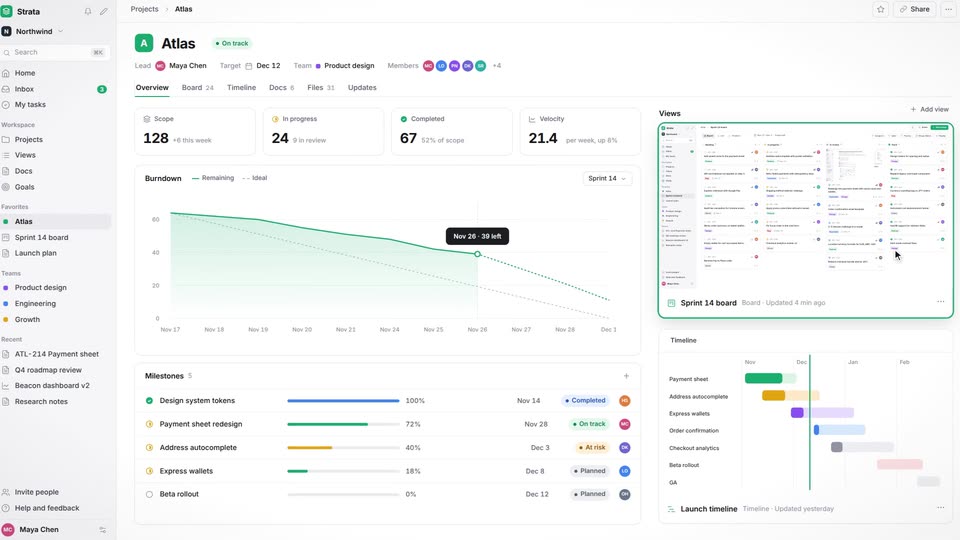
The camera dives into one card, its preview fills the frame and becomes the next screen, and after four levels the shot lands on the first screen again, so it loops.
Motionboard shot: Infinite UI Zoom
How to make a Infinite Zoom Effect with Claude Code or Codex
Copy the recipe above and paste it into Claude Code or Codex. The agent installs the skill and builds the shot.
npx skills add krisyangdev/motionboardHow it's built
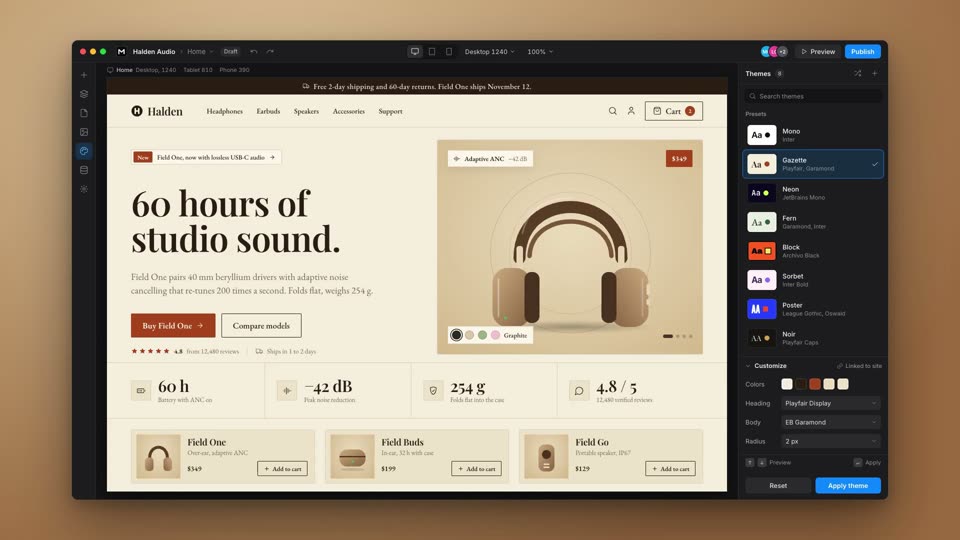
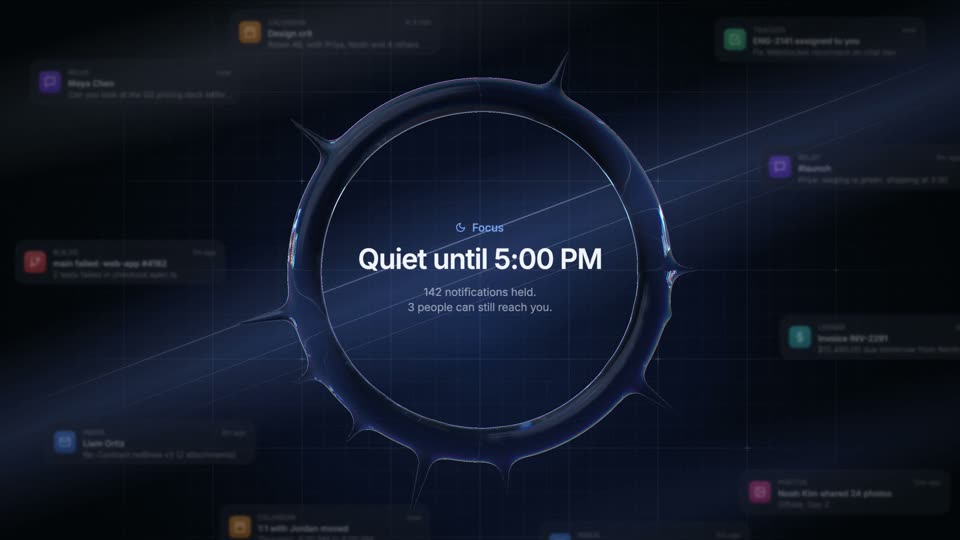
Build four 1920x1080 product screens where one card's cover is the next screen scaled down: a projects grid with a 512x288 cover, a project overview with a 576x324 view card, a kanban board with a 382x215 cover and an issue page with a 480x270 embedded view of the first screen. Nest four deeper previews inside each screen so the detail is already there when the camera arrives.
Zoom each card rectangle to the full frame with a fixed-point zoom, at 3.75x, 3.33x, 5.03x and 4.0x. A dive takes 1.3s with cubic-bezier(0.45,0,0.12,1) applied to the logarithm of the scale, so each doubling of scale takes the same eased time and the zoom looks even at every scale. Start it on the cursor click, after a slow push from 1.00 to 1.02 that lasts 0.9s on level 1 and 0.65s on the other three. On-screen blur peaks at 1px and the card's corner radius drops to 0 at the end. The cursor fades out as the dive starts. Swap in a fresh copy of the next screen on the last frame of each dive so the scale never exceeds 5.03x.
Level 1 takes 2.2s and levels 2–4 take 1.95s each, so the fourth dive ends at 8.05s. The cursor returns to its start from 8.05s to 8.9s and the film rests until 10s, with the last frame identical to the first. Press the copy button to send the recipe to Claude Code or Codex, or install the skill once with npx skills add krisyangdev/motionboard. Render an MP4 with HyperFrames, or port the GSAP timeline to your site.
Full recipe
Why it works
The preview on each screen is the next screen itself, so content sharpens as the camera moves in and the viewer sees one product going deeper with no cut. Every dive starts from a click, with the cursor press and the start of the move on the same frame, so cause and effect are clear. The first and last frames are identical, so the film loops.
Spec
- Timing
- Film 10s (300 frames), four levels. Level 1 takes 2.2s: slow push-in 0–0.9s (27 frames, scale 1.00 to 1.02), cursor glide 0.15–0.8s, accent ring on the card 0.78–0.9s, click at 0.9s, dive 0.9–2.2s (1.3s, 39 frames). Levels 2–4 take 1.95s each, starting at 2.2, 4.15 and 6.1s, with a shorter 0.65s push-in (scale 1.00 to 1.02), a 0.45s cursor glide from the start of the level, clicks at 2.85, 4.8 and 6.75s and 1.3s dives. The dives end at 2.2, 4.15, 6.1 and 8.05s, the cursor returns 8.05–8.9s and rests until 10s, and the last frame matches the first pixel for pixel
- Easing
- Push-in
sine.inOut; divecubic-bezier(0.45,0,0.12,1)applied to the logarithm of the scale, so each doubling of scale takes the same eased time and the zoom looks even at every scale; blur is measured on screen and rises to 1px 0.04–0.94s after the click (peak about 0.49s) and returns to 0, with the blur on the scaled layer divided by the current scale so the incoming preview stays readable; the card's corner radius drops to 0 over 0.5s starting 0.6s after the click; cursorpower2.inOut(0.65s on level 1, 0.45s on the others), press to 0.86 scale in 0.08s, releaseback.out(1.7)0.25s, and a click ripple (a 2px#0f9d6ering at the click point, scale 0.3 to 1.6 and opacity 0.75 to 0 over 0.5s,power2.out); the cursor then fades out over 0.22s starting 0.08s after the click and fade back in over 0.15s at the start of the next level - Camera
- Flat 2D, no tilt. The slow push-in pivots about a point left of the card (x 720 to 800, y 400) so the sidebar icons and labels stay in frame at the click. A fixed-point zoom takes the card rectangle to the full frame, at 3.75x, 3.33x, 5.03x and 4.0x, about 251x in total. On the frame where each dive ends, a fresh copy of the next screen at 1x scale takes over with identical pixels, so the scale never exceeds 5.03x
- Subject
- Four 1920x1080 product screens, each holding a preview of the next: a projects grid (9 cards, 512x288 covers), a project overview (4 stat tiles, burndown chart, 5 milestones, two view cards with 576x324 covers), a kanban board (4 columns, 24 cards, a 382x215 cover on ATL-214) and an issue page (properties panel, 2 comments, a 480x270 embedded view of the projects grid). Each screen nests four deeper previews
- Sync
- The cursor press, the ring fading and the start of the dive share one frame (0.9, 2.85, 4.8 and 6.75s) and the cursor fades out right after; when the dive ends the corner radius is 0, the preview fills the frame exactly, and the next screen's fresh copy takes over on that same frame while the cursor fades back in and starts its next glide
- Style
- Light UI with one accent,
#0f9d6e(primary button, selection ring, charts); Inter 14px UI text with real English content (Maya Chen, ATL-214, Nov 26); pastel label chips; 5% vignette at the edges
Prompt
Build a looping shot called Infinite UI Zoom for a project-collaboration product: 10 seconds, 1920x1080, 30fps, light UI with a single accent color #0f9d6e, Inter 14px UI text and real English content (people's names, issue IDs like ATL-214, dates). Make four full-screen product screens: a projects grid (9 cards, 512x288 covers), a project overview (4 stat tiles, burndown chart, 5 milestones, two view cards with 576x324 covers), a kanban board (4 columns, 24 cards, a 382x215 cover on ATL-214) and an issue page (properties panel, 2 comments, an embedded 480x270 view of the projects grid). On each screen one card's cover is the complete next screen scaled down, the embedded view on the last screen is the first screen, and each screen nests four deeper previews. Run four levels starting at 0, 2.2, 4.15 and 6.1s: a slow push-in from 1.00 to 1.02 (sine.inOut, pivoting about a point left of the card at x 720 to 800 and y 400 so the sidebar stays in frame) lasting 0.9s on level 1 and 0.65s on the other three, the cursor gliding to the card before the click (0.15–0.8s on level 1, 0.45s from the start of the level on the others), a 3px accent ring on the card 0.12s before the click, a 2px accent click ripple growing from scale 0.3 to 1.6 and fading from 0.75 to 0 over 0.5s (power2.out), and the click at 0.9, 2.85, 4.8 and 6.75s with the dive starting on that same frame. Each dive takes 1.3s as a fixed-point zoom from the card rectangle to the full frame (3.75x, 3.33x, 5.03x and 4.0x), with cubic-bezier(0.45,0,0.12,1) applied to the logarithm of the scale, on-screen blur rising to 1px and back to 0 (divide the blur on the scaled layer by the current scale so the incoming preview stays readable), and the card's corner radius dropping to 0 near the end. Fade the cursor out over 0.22s starting 0.08s after the click and fade it back in over 0.15s at the start of the next level. On the frame where each dive ends, swap in a fresh copy of the next screen at 1x scale so the scale never exceeds 5.03x. From 8.05 to 8.9s the cursor returns to its start position and rests until 10s; the last frame matches the first pixel for pixel so the film loops. Use HTML + GSAP with no bitmaps.
People describe it as
- The camera dives into a card and the card becomes the next screen
- Projects, board and issue zoom open one inside the other
- After the fourth level the shot lands on the first screen again
Often confused with
- Zoom-to-Cursor EffectZoom-to-Cursor pushes in on one control and pulls back out on the same screen; Infinite UI Zoom keeps going in through four levels and never pulls back.
- Match Cut TransitionMatch Cut swaps content on a fixed anchor with hard cuts; Infinite UI Zoom uses one continuous zoom with no cut.
FAQ
What is an infinite zoom effect?
An infinite zoom keeps moving the camera into the content, and each new frame contains the next level inside the current one. In a product film the camera dives through nested screens: a project, its board, one issue, and so on. Here each dive takes 1.3s, four levels in all.
How do I make an infinite zoom loop?
Make the deepest screen contain the first screen as a preview, so the last frame matches the first. Nest a few levels of previews inside each screen so detail is there during the dive, and swap in a fresh copy of the next screen at the end of each dive to keep the scale small.
Is the Infinite UI Zoom recipe free to use?
Yes. Motionboard is free and MIT licensed, so you can use and modify the recipes and the films they produce in personal and commercial projects. The licence asks only that copies of the recipe files keep the copyright notice.