10s
Product reveal · 10s film
Count Up Animation
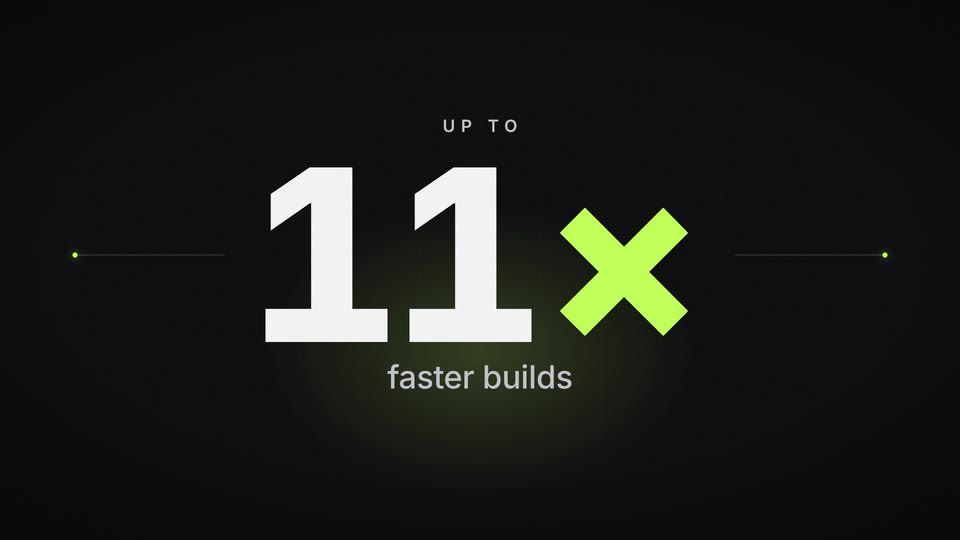
One very large number rolls up digit by digit, fast at first and settling slowly on its target, with a small uppercase kicker above and a one-line label below. The same move then runs inside a dashboard card with a sparkline drawn in step, and last on a closing stat with a strip of ticks.
Seen in real launch films
How to make a Count Up Animation with Claude Code or Codex
Copy the recipe above and paste it into Claude Code or Codex. The agent installs the skill and builds the shot.
npx skills add krisyangdev/motionboardHow it's built
Build each digit as a column that holds a strip 0-9-0, with a window 0.6em wide and 0.85em high and tabular numerals, so the layout never moves. Drive one value with a proxy tween: the big number counts 1 to 11 from 0.35s over 2.1s with power4.out at 480px. A column rests on a whole digit and rolls only through the last 40% of each unit it passes; a higher column turns only while every lower column rolls 9 to 0. Add a vertical blur of at most 1.2% of the font size during fast rolls only.
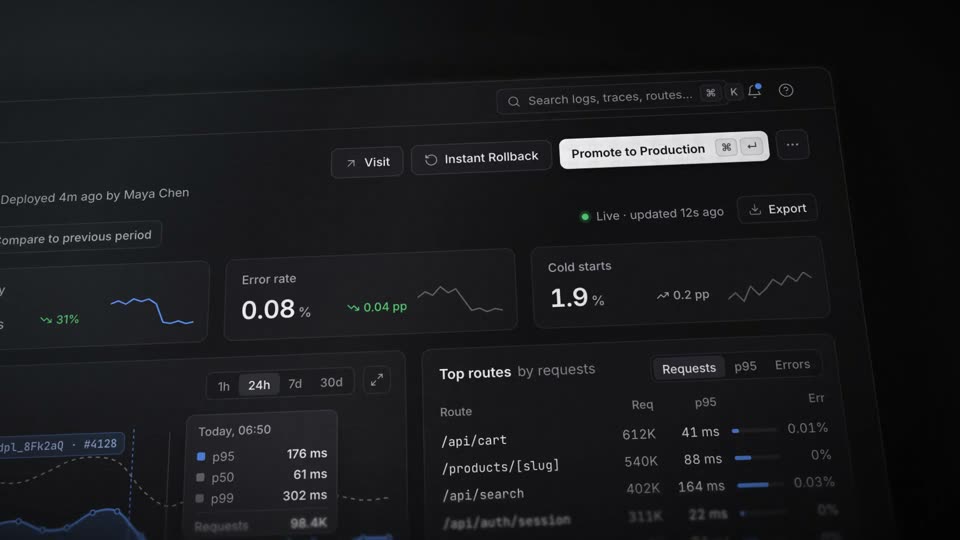
Repeat the move on a dashboard. At 2.95s the Tally dashboard rises over 1.0s. The hero card counts $100 to $803 from 3.35s over 2.2s with power4.out, and a 252x150px sparkline draws from the same progress, so the line is as long as the count is far along. Two small cards count 0 to 9 and 0 to 4, and a pip lights each time the count passes a whole number. At 5.8s a closing card counts 90.00% to 99.99% over 1.6s with power3.out while 90 ticks light left to right.
Press the copy button to send this recipe to Claude Code or Codex, or install the skill once with npx skills add krisyangdev/motionboard. The agent builds the odometer, the three stat cards and the dashboard from your product. Draw the four-bar mark with its accent slash from 7.75s and rise the word Tally from a mask at 8.0s. Render an MP4 with HyperFrames, or port the GSAP timeline to your website.
Full recipe
Why it works
Each digit is a column with a one-cell window, so mid-roll you see only the digit leaving and the one arriving, and a column stops on a whole digit. The last number reads clearly and the layout never shakes: tabular numerals in fixed-width columns mean a new leading digit or a changing last digit moves nothing else. A strong ease-out makes the count fast at first and lets the last digit or two settle slowly, so the viewer reads the magnitude first and the exact number after. The three stat cards each carry more than the last: a bare hero number, then a dashboard card with a sparkline, then a closing card with a tick strip, so the same move arrives on a new carrier each time. The line, the pips and the ticks share one progress with the digits, so the graphic is drawn exactly as far as the number has counted and both show the same fact. Each card has a small uppercase kicker (UP TO, COST SAVED TODAY, UPTIME) and one line underneath, the number takes the biggest space in the frame, and the only accent is yellow-green #bdf34f.
Spec
- Timing
- Film 10s. Hero stat 0–3.0s: kicker UP TO rises at 0.12s (0.9s), the count 1 to 11 starts at 0.35s and runs 2.1s, two hairlines draw outward at 1.05s (1.1s), the label faster builds rises at 1.3s (1.1s), and the group lifts and blurs out 3.0–3.55s. Dashboard rises at 2.95s (1.0s): the hero card counts $100 to $803 from 3.35s over 2.2s, Active builds 0 to 9 from 3.5s over 1.5s, Queued 0 to 4 from 3.62s over 1.3s; bars grow from 3.45s (0.022s apart, 1.1s each), build rows slide in from 3.7s (0.07s apart), the delta chip appears at 4.3s, the hero card border lights at 4.2s (0.8s), and the dashboard lifts out at 5.62s (0.55s). Final card rises at 5.8s (0.95s): 90 ticks light with the count, 90.00% to 99.99% runs from 6.0s over 1.6s, the label rises at 6.55s, and the card lifts out at 7.5s (0.5s). Lockup from 7.6s: four bars grow at 7.75s (0.8s, 0.08s apart), the slash draws at 8.1s (0.7s), the word Tally rises from a mask at 8.0s (0.9s), the tagline appears at 8.5s (0.9s), held to the end at 10s
- Easing
- Counts use power4.out (the big number, $803, 9 and 4) and power3.out (99.99%); entrances use
cubic-bezier(0.16,1,0.3,1)(expo.out); exits use power2.in; the dashboard push uses sine.inOut - Camera
- Fixed frame. The dashboard scene has one slow push: 3.0–5.9s from 1.0x to 1.1x around the hero card centre (773px, 352px) with sine.inOut, which leaves the dashboard's right edge about 30px inside the frame
- Subject
- Each digit is a column holding a strip 0-9-0, with a window 0.6em wide and 0.85em high (digit cap height 0.73em plus about 0.12em gap), a 0.02em edge fade top and bottom, and tabular-nums, so the layout never moves while digits change. A column rests on a whole digit and rolls only through the last 40% of each unit it passes (smoothstep); a higher column turns only while every lower column rolls 9 to 0. The leading digit of 11× fades in as the value goes from 5.5 to 10. Hero scene: number 480px at weight 800 with the × in the accent colour, kicker 34px with 0.34em tracking, label 64px. Dashboard 1620x880px with a 240px sidebar: hero card 710x320px with $803 at 172px and a 252x150px sparkline (26 points, 3px line); two 285x320px small cards with numbers at 132px and a row of 12 pips; a 24-bar builds-per-hour chart with 16px bars; 5 recent-build rows. Final card 1320x700px with the number at 300px and 90 ticks, each 8x48px
- Sync
- The sparkline line, its area, the tip dot and the digits share one eased progress, so the line is drawn exactly as far as the count has gone. A pip lights each time the count passes a whole number, and the final card's ticks light left to right with the progress. Vertical motion blur appears only during fast rolls, scales with roll speed and is capped at 1.2% of the font size (5.8px on the 480px number), and it switches off below 0.4%. All three counts stop exactly on 11, $803, 9, 4 and 99.99%
- Style
- Background
#09090b, one accent yellow-green#bdf34f; text#f4f4f5, secondary text#8e8e98; Inter, digits at weight 800; a 120px grid at 3.2% white fading at the edges, 7% overlay grain and a vignette; the mark is four vertical bars crossed by an accent slash (a tally mark)
Prompt
Build a 10-second, 1920x1080, 30 fps dark product film called Count Up Animation for a fictional product, Tally (a build and CI platform). Background #09090b, one accent yellow-green #bdf34f, text #f4f4f5, secondary text #8e8e98, font Inter. The core part is a rolling digit: each digit is a column holding a strip 0 to 9 followed by another 0, with a window 0.6em wide and 0.85em high (digit cap height 0.73em plus about 0.12em of gap), a 0.02em edge fade at top and bottom, and tabular numerals, so the layout never moves while digits change. One value drives every column: the ones position is floor(v) plus roll(fraction), where roll runs from 0 to 1 with a smoothstep over the last 40% of each unit, so the column rests on a whole digit the rest of the time; a higher column turns only while every lower column rolls 9 to 0, using the same floor plus roll. Motion blur is one SVG feGaussianBlur per column (stdDeviation="0 s"), with s = roll speed x font size x 0.0007, capped at 1.2% of the font size and set to 0 below 0.4%, so only fast rolls get a faint vertical blur. Drive each count with a 0 to 1 proxy tween whose onUpdate applies power4.out (power3.out for the last card) and computes the value and its speed; the value, the sparkline and the ticks all come from the same progress, and every count ends exactly on its target integer. Timeline: at 0.12s the kicker UP TO (34px, uppercase, 0.34em tracking) rises; from 0.35s the number counts 1 to 11 over 2.1s at 480px and weight 800 with the × in the accent colour, and the tens digit fades in as the value goes from 5.5 to 10; from 1.05s two 300px hairlines with an accent dot at the outer end draw outward on both sides (1.1s); at 1.3s the label faster builds (64px) rises and deblurs; 3.0–3.55s the group lifts 56px, scales to 1.07 and blurs out. From 2.95s a Tally dashboard (1620x880px, 22px radius, a 240px sidebar with seven nav items, a top bar with a 24h/7d/30d control and a search box) rises over 1.0s from below. The hero card is 710x320px with the kicker COST SAVED TODAY and $803 at 172px counting from $100 over 2.2s starting at 3.35s; a 252x150px sparkline (26 rising noisy points) draws with the same progress and a dot rides the tip; at 4.2s the card border lights in the accent colour and at 4.3s a chip reading ↑ 18.4% appears. Active builds is a 285x320px card with a 132px number counting 0 to 9 from 3.5s over 1.5s and 12 pips that light one by one as the count passes each whole number; Queued is the same card counting 0 to 4 from 3.62s over 1.3s. A builds-per-hour chart (24 bars of 16px, the lower part lighter for cache hits) grows bar by bar from 3.45s (0.022s apart, 1.1s each). A recent builds list of 5 rows slides in from 3.7s, 0.07s apart. The whole dashboard pushes to 1.1x around the hero card centre from 3.0s to 5.9s and lifts out at 5.62s. At 5.8s the final card (1320x700px, 30px radius, a fading accent hairline on top) rises with the kicker UPTIME · LAST 90 DAYS and a 300px number counting 90.00% to 99.99% over 1.6s from 6.0s, a row of 90 ticks (8x48px) lighting left to right with the progress, and the label across 2.4M builds rising at 6.55s; it lifts out at 7.5s. From 7.6s the lockup grows four vertical bars, draws an accent slash across them, rises the word Tally from a mask and shows the tagline Builds that finish before the coffee does. at 8.5s, held to 10s. Add a 120px grid at 3.2% white fading at the edges, 7% overlay grain and a vignette.
People describe it as
- The digits roll up like an odometer and ease to a stop on the target
- A big number climbs from $100 to $803 while the sparkline draws beside it
- UP TO 11× faster, and the count locks on 11
Often confused with
- Fluted Glass EffectFluted Glass reveals one key word or number through glass ribs and the figure itself never changes; here the number rolls digit by digit to its value and drives a sparkline and a tick strip in step.
- Kinetic TypographyKinetic Typography places a few spec words at different spots where they hard-appear; here one big number rolls to its target with an ease-out, with a kicker above and a label below.
FAQ
What is a count up animation?
A count up animation shows a number rising from a start value to an end value over a second or two. Product films use it for stats such as speed gains, revenue or uptime, so the viewer sees the size of the change as well as the final figure.
How do you stop the digits from shaking the layout while they count?
Use tabular numerals and give every digit a fixed-width column, or build an odometer where each digit is a vertical strip that rolls inside a window one cell high. Here the window is 0.6em wide and 0.85em high, so a new leading digit or a changing last digit moves nothing else.
Is it free to use?
Yes. Motionboard is free and MIT licensed, so you can use and modify the recipes and the films they produce in personal and commercial projects. The licence asks only that copies of the recipe files keep the copyright notice.