10s
Product reveal · 10s film
Fluted Glass Effect
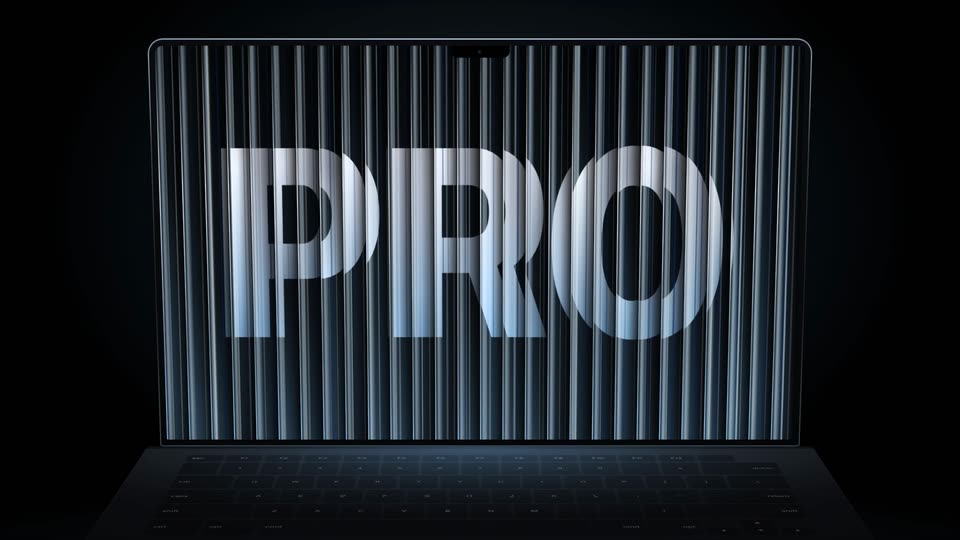
A laptop screen is split into 28 vertical glass ribs. Light streaks rise through the ribs and settle into a big word. The camera then pushes into the screen, the word lifts out, the title rises in, the glass flattens and the blur clears into a lockup with only a few faint ribs left at the screen edges.
Motionboard shot: Fluted Glass Reveal
Seen in real launch films
How to make a Fluted Glass Effect with Claude Code or Codex
Copy the recipe above and paste it into Claude Code or Codex. The agent installs the skill and builds the shot.
npx skills add krisyangdev/motionboardHow it's built
Split the screen into 28 vertical ribs, 39px wide on a 1092×680px screen, and put a full copy of the word in each one. Scale each copy horizontally to 0.6 around the rib's center and offset it by ±9px horizontally with no vertical offset, so the word breaks into slices like fluted glass. Shade each rib like a cylinder over the letters (dark left edge, a bright band about 7px in, darker falloff to the right), give it its own vertical brightness and a 2px specular line on its left edge, and keep a soft ice-blue glow from 46% at the foot to 9% at the top.
The film opens on lit streaks: four per rib rise with power2.in from 0s, then the word rises in from 520–780px below at 1.4s, stretched 5–8× and settling to 1× over 1.55s with expo.out. The camera lowers from a 66° to a 14° angle over 3.55s with power3.out, and a highlight sweeps across the ribs from 3.0s to 4.8s.
At 4.7s the camera pushes 1.4s to 1.36× and moves down 58px so the lid's bottom edge meets the frame bottom. The word lifts out between 4.8s and 5.4s and the new title (Inter 640, 176px) starts rising at 5.2s at 0.6× compression. Between 5.95s and 7.4s each rib goes back to 1× while a 3.5px blur clears, and the rib shading fades to nothing around the title by 7.9s, leaving faint lines on the three ribs at each side. Press the copy button to send this recipe to Claude Code or Codex, or install the skill once with npx skills add krisyangdev/motionboard, then render an MP4 with HyperFrames.
Full recipe
Why it works
Every rib shows the same content compressed to 0.6 of its width, so the word breaks into offset vertical slices. Each rib also carries cylinder shading on top of the letters (dark left edge, a bright band near the left, darker falloff to the right), so the glass shading sits on the letters as well as in the gaps. The streaks are already on screen at frame 0 and the word starts rising at 1.4s. The lockup starts rising at 5.2s, while the last of the word is still lifting out, so the two overlap inside the blur and the screen is never empty. The rib shading starts to fade at 6.3s. Around the title it goes to zero, leaving faint lines only on the three ribs at each side. The only color is ice blue #7fc8ff.
Spec
- Timing
- Film 10s, starting on lit streaks with no black lead-in. Streaks rise 0–3.4s (four per rib, 0.9–1.3s each, the first already part-way up at frame 0); PRO rises in 1.4–3.55s (1.55s per rib, staggered over about 0.6s); highlight sweep 3.0–4.8s; push-in 4.7–6.1s (1.4s, 42 frames); PRO lifts out 4.8–5.4s (0.42s per rib, staggered over about 0.15s); lockup rises 5.2–6.7s (1.25s per rib, staggered over about 0.22s); blur-to-sharp 5.7–7.4s; glass flattens 5.95–7.4s (1.2s per rib); rib shading fades 6.3–7.9s; sub line 7.4–8.2s (0.8s); closing shimmer 8.0–9.8s
- Easing
- PRO and lockup entrances expo.out; streak rise power2.in (accelerating); PRO exit power2.in; camera descent power3.out; push-in power4.out; glass flattening power2.inOut; blur clearing power2.out; drift sine.out
- Camera
- 2600px perspective. 0–1.15s holds at a 66° high angle with the lid leaning back 8°; 1.15–4.7s the angle lowers to 14° (3.55s) while scale goes 1.0→1.2; from 4.7s it pushes to 1.36× in 1.4s and squares up to the lid (8° angle), moving the view down 58px so the lid's bottom edge meets the frame bottom and the keyboard is out of frame, with the screen bezel and notch still in frame; then a 3.9s drift to 1.4×
- Subject
- Lid 1116×704px (12px screen bezel, 8px lid edge thickness, ice-blue rim light on the edge), deck 1160×740px (14px front lip, dim backlit keys with an arrow cluster, ice-blue floor reflection). Screen 1092×680px in 28 ribs, 39px wide. Each rib holds a full copy of the word, compressed horizontally to 0.6× (the refraction), entering at 1.7× width, stretched vertically 5–8× and settling to 1×, with a random offset of ±9px horizontal and none vertical. Each rib has cylinder shading over the letters (left edge 60% black fading to 0 by 12% of the width, a 50% ice-white band about 7px from the left edge, darkening from 44% of the width to 78% black on the right), its own vertical brightness (47%–100%), four thin texture lines, a 2px specular line on its left edge, and an ice-blue glow from 46% at the foot to 9% at the top. Word: Inter 800 448px, vertical gradient #ffffff → #dcefff → #7fc8ff
- Sync
- The PRO exit runs 4.8–5.4s and the lockup starts rising at 5.2s, so they overlap for about 0.2s while the whole screen is under the 3.5px blur. The lockup arrives at 0.6× compression with ±6px per-rib offsets, then each rib returns to 1× between 5.95s and 7.4s. Rib shading, edge lines and texture lines hold until 6.3s, then fade over 1.3s per rib. The middle ribs go to 0 and the three ribs at each side keep their lines at 30%. The foot glow drops to 23–30% in the middle ribs and 38–50% in the three edge ribs. The blur returns to 0 between 5.7s and 7.4s
- Style
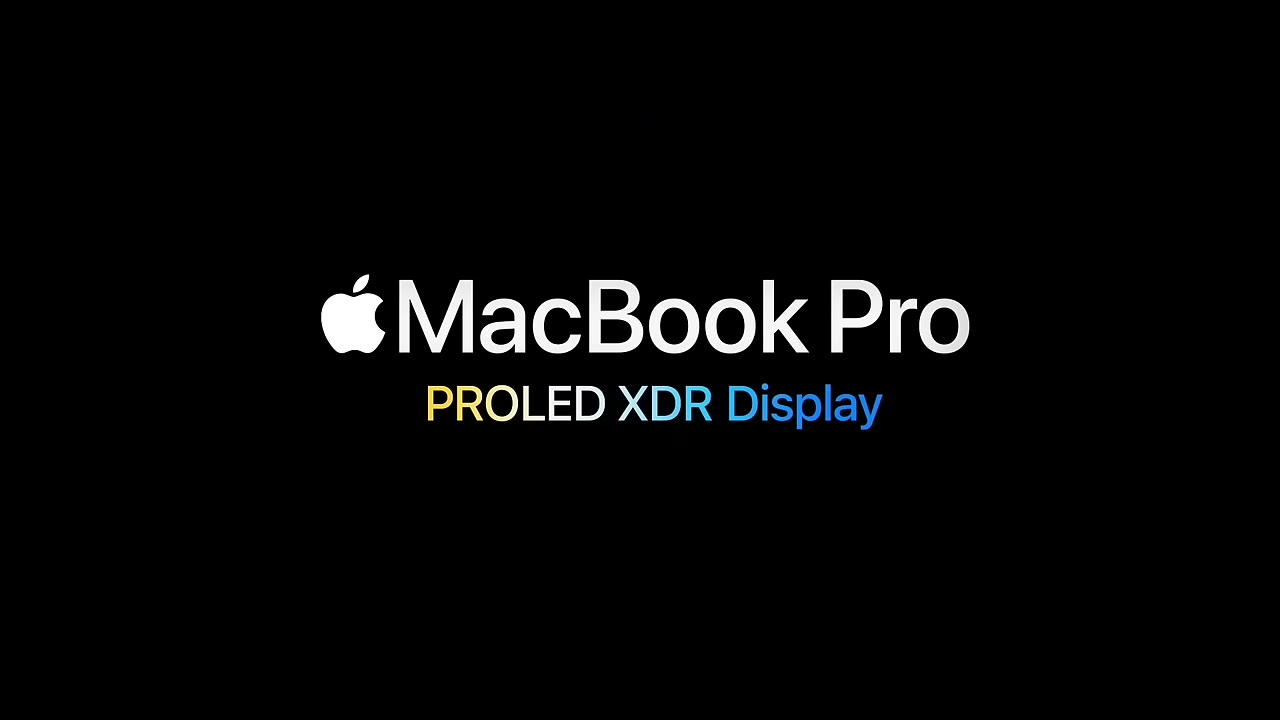
- Pure black background, charcoal laptop, one accent: ice blue #7fc8ff. Sub line Inter 500 22px: Opal Display · 2,000 nits peak · 120 Hz. Lockup Inter 640 176px, Novis near-white, Pro in an ice-blue gradient. The end frame keeps the bezel, the notch and faint vertical ribs on the three ribs at each side, with a clean field around the lockup
Prompt
Build a 10-second laptop screen launch shot called Fluted Glass Reveal, 1920×1080, pure black background, one accent color ice blue #7fc8ff. Make a charcoal laptop in CSS 3D with a 2600px perspective: lid 1116×704px leaning back 8° with a 12px screen bezel, 8px lid edge thickness and an ice-blue rim light; deck 1160×740px with a 14px front lip, dim backlit keys including an arrow cluster, and a soft ice-blue reflection on the floor. The screen is 1092×680px, split into 28 vertical ribs 39px wide. Each rib holds a copy of the same content scaled horizontally by 0.6 around the rib's center and offset randomly by ±9px horizontally. Shade each rib like a cylinder on top of the content: left edge 60% black fading to 0 by 12% of the width, a 50% ice-white band about 7px from the left edge (screen blend), right half darkening from 44% of the width to 78% black. Add a 2px white specular line on the left edge, four thin texture lines, its own vertical brightness (47%–100%) and an ice-blue foot glow from 46% at the bottom to 9% at the top. Timeline: at frame 0 the laptop is already lit at a 66° high angle (halo, rim light, foot glow, the first streak part-way up each rib; no black lead-in). 0–3.4s four light streaks per rib rise (2–34px wide, 200–560px tall, white head and ice-blue tail, one wide and soft, power2.in, 0.9–1.3s each, staggered). From 1.4s the word PRO (Inter 800 448px, vertical gradient white to #7fc8ff) rises into each rib from 520–780px below, entering at scaleX 1.7 and settling to 0.6, stretched vertically 5–8× and settling to 1×, expo.out 1.55s, staggered over about 0.6s (done by 3.55s). 1.15–4.7s the camera lowers from 66° to 14° (power3.out) while scale goes 1.0→1.2. 3.0–4.8s a highlight sweeps left to right rib by rib (0.3s up to 0.38, 0.5s out). From 4.7s push into the screen for 1.4s (power4.out), square up to the lid (8°), scale to 1.36× and move the view down 58px so the lid's bottom edge meets the frame bottom, with bezel and notch in frame. From 4.95s the whole screen goes to blur 3.5px at brightness 1.3. 4.8–5.4s PRO lifts out rib by rib (0.42s each, power2.in, up 420–520px, stretched 1.8×). From 5.2s the lockup Novis Pro (Inter 640 176px, Pro in an ice-blue gradient, ±6px offset per rib) rises from 420–520px below (expo.out 1.25s, stretched 3.5× settling to 1×, done by 6.7s) at 0.6× compression, overlapping the tail of the PRO exit inside the blur. 5.7–7.4s blur returns to 0 and brightness to 1 (power2.out); 5.95–7.4s each rib returns from 0.6× to 1× (1.2s, power2.inOut). From 6.3s rib shading, edge lines and texture lines fade over 1.3s per rib: the middle ribs go to 0, the three ribs at each side keep their lines at 30%, and the foot glow drops to 23–30% in the middle ribs and 38–50% in the edge ribs. At 7.4s the sub line Opal Display · 2,000 nits peak · 120 Hz (Inter 500 22px) rises 14px and fades in over 0.8s. 8.0–9.8s a faint highlight sweeps the lockup once more while the camera drifts to 1.4×; hold on the lockup until 10s.
People describe it as
- Light streaks rise through a row of glass ribs
- The streaks settle into a big word on a laptop screen
- The glass flattens and the title sharpens
Often confused with
- Text–Object InterleaveText–Object Interleave builds depth by putting the product in front of the type; Fluted Glass Reveal slices one piece of content into ribs and clears them to reveal it.
- Liquid Glass EffectGlass Lens is one round lens that sweeps across copy and magnifies it; here the whole screen is cut into vertical ribs and the word grows out of light streaks.
FAQ
How do you make a fluted glass effect in CSS?
Cut the element into narrow vertical strips and put a copy of the content in each. Scale each copy horizontally around the strip's center, usually to 0.5–0.7, and offset it a few pixels. The strips then show shifted slices of the same content, like a ribbed pane.
Why do the streaks come before the word?
The streaks are already rising at 0s and the word starts rising at 1.4s, so the light is on screen about 1.4s before any letter. The word is also stretched 5–8× vertically while it rises, so it looks like a streak until it settles.
Is it free to use?
Yes. Motionboard is free and MIT licensed, so you can use and modify the recipes and the films they produce in personal and commercial projects. The licence asks only that copies of the recipe files keep the copyright notice.